Reception needs three things, and no clinical records at all: who is arriving today, which appointment requests are waiting for an answer, where to look up or register a patient. The Fibonacci desk is the page built for this and it is on its way. Today the front desk already works with the diary, patient records and tasks, in the role that does not open clinical records. Below you will find how to organise the day for whoever welcomes patients and what the desk will put on the same screen.
What the receptionist does when the patient arrives
In order, there are four actions. You look at who is expected, you check that the name matches the appointment, you mark that they have arrived, you let whoever is seeing them know. The fifth step, which is often done after the visit, is taking payment.
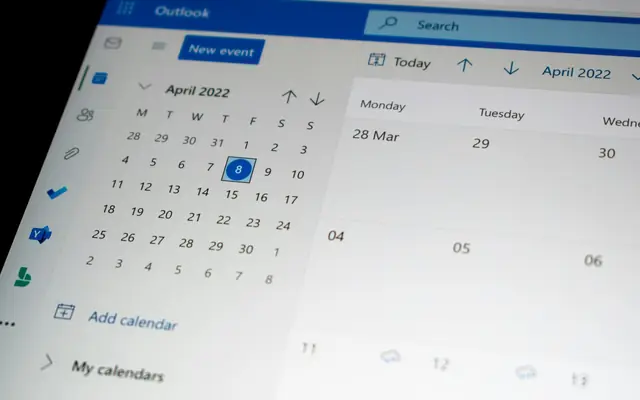
With today's tools it works like this. The diary shows the day. The quick menu of an appointment has Mark check-in, and the status changes to «arrived at the practice». The statuses are scheduled, confirmed, check-in, in progress, completed, no-show, cancelled, and every change is recorded with date and time in the access log. The desk, when it arrives, will put the list of the day's appointments on the reception landing page, without going through the whole diary.
The desk, coming soon: what it shows
The desk is on its way, and it has a simple layout. After logging in, reception lands there, and anyone who types the address of the clinical dashboard is redirected to the desk, because the dashboard counts visits and treatments that reception cannot read.
The page has three blocks:
| Block | What is there |
|---|---|
Who is arriving today | The day's appointments in time order, with the patient's name and time. A cancelled appointment shows its status. It refreshes when you return to the window, and Open the diary takes you to the whole week |
Requests from the website, to be confirmed | Booking requests received from the practice website. The box only appears if there are any |
| Search and patient records | Search patient and New patient, at the top of the page |
The block that needs the most attention is the one with the requests. A request is not yet an appointment: until you answer, the time slot stays blocked and no other patient can book it. For each request there are two choices.
Confirm: the appointment becomes booked. If the patient is not in the records, the file is created from the details in the request. If a file already exists with the same phone number, the program asks whether it is the same person (link) or a different one (create a new one): the number may belong to a family member, and a blind choice mixes two people together. If the patient left an email, the confirmation is sent; if it is not sent, or the email is missing, the program tells you and the patient must be notified by phone.Reject: the request is cancelled, the time slot becomes free again, and the patient is notified.
How you get to the request and what it is worth asking in the form is in the article on online booking.
What reception sees and what it does not
The reception role sees patients and the diary, without opening clinical records. The program recognises this from the account's actual permissions: it can manage the diary and cannot read visits. A co-operative's reception also sees patients and bookings, but not clinical records. The full rules are on the page about users and permissions.
In the task list, reception sees the ones it does and the ones it has requested. It does not see the ones between doctors, because they may discuss clinical matters: it only sees one if a doctor assigns it to them.
The Garante, in a measure of 22 February 2024 (opens in a new tab), reminded that access to the health dossier must be limited to staff involved in the care process only. The case concerned a healthcare company, not a practice, and a dossier is not a diary: we cite it for the principle, not as a rule for you. The principle is simple: having a generic authorisation is not enough, access must be necessary for what the person is doing.
Taking payment and invoicing
Taking payment, in Fibonacci, starts from an invoice: on the Payments page you do not write anything by hand, every line comes from an issued invoice, at the stated payment date. The invoice is issued from the patient's record, and the therapeutic purpose of each item is declared by the doctor. What reception can do in this respect depends on the account's permissions, and it is best to decide this beforehand: it is not a choice to make at the till.
For the patient who pays by card, in-practice payments (card reader, link, instalments) are on their way. Until then, payment is recorded with the method and date on the invoice (cash, card, bank transfer, cheque, other). What must appear on the invoice is in the article on the invoice for an aesthetic treatment.
Closing the day
A practice day is closed when every appointment has its status. Mark whether the patient came, did not show up or cancelled, and note it the same day, while you remember. A past appointment still marked «booked» distorts the numbers: the cancellation and no-show rates in the statistics are calculated on incomplete data, and the doctor sees a warning on the dashboard with the number of unclosed appointments.
In Settings, Diary, Auto no-show you can set how long after which an appointment that has not started is automatically marked as a no-show: it is off by default. If you turn it on, choose a time that leaves room for delays.
At closing time it is also worth looking at three things:
- requests from the website still waiting for an answer;
- tasks assigned to reception and not yet done;
- tomorrow's appointments, to see whether anything does not add up (double-booked room, doctor away).
When the phone rings
Much of the work of whoever is at the desk is done on the phone, and a well-organised desk reduces the questions that have to be answered with «let me check and I'll call you back». Three habits help. Before answering, open the patient's file: the patient details are there, without anything clinical. When you book an appointment, write in the notes for yourself what the receptionist who comes after you needs to know (for example «prefers the afternoon»), and never anything clinical: diary notes are a place where clinical matters must not end up. If the question touches on a treatment, a cost or a medical decision, you do not answer: you create a task for the doctor, with the patient's name and the reason, and you tell the patient they will be called back.
A checklist for reception
- Reception has the reception role, not the doctor role
- At the start of the day: who is arriving, in time order
- Every arrival is marked with check-in
- Requests from the website get an answer during the day
- Before linking a request to a file, you check that the phone number belongs to the same person
- At the end of the day every appointment has its status
- Reception's tasks are closed or postponed with a note